
AvoraSpace demonstration project
Lead Follow-Up Workspace
Manual reminders are easy to forget—and poorly controlled sequences keep sending after someone replies.
WORKING DEMO · fictional data · not a client deployment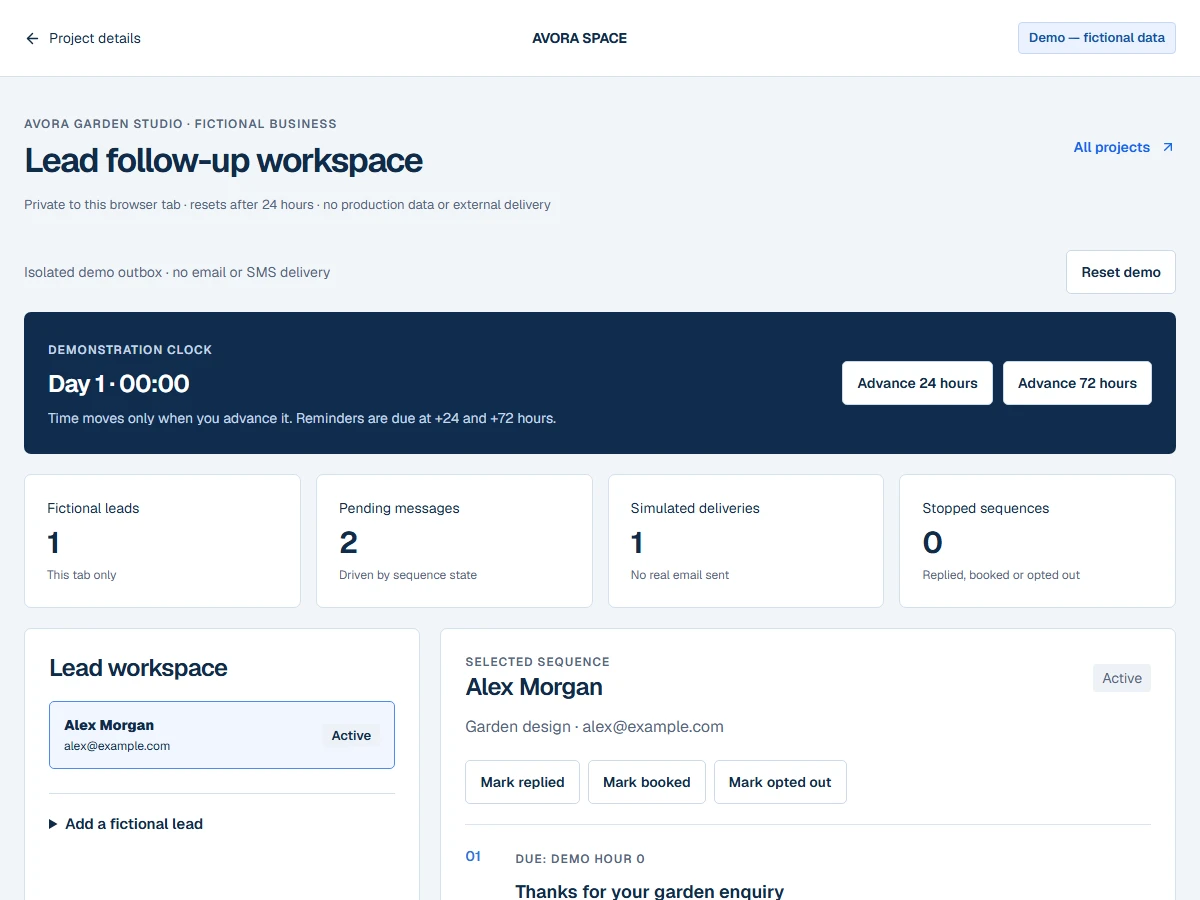
WHO IT IS FOR
Follow-up that knows when to stop.
Service businesses that want a traceable follow-up process with clear stopping conditions.
What was actually implemented
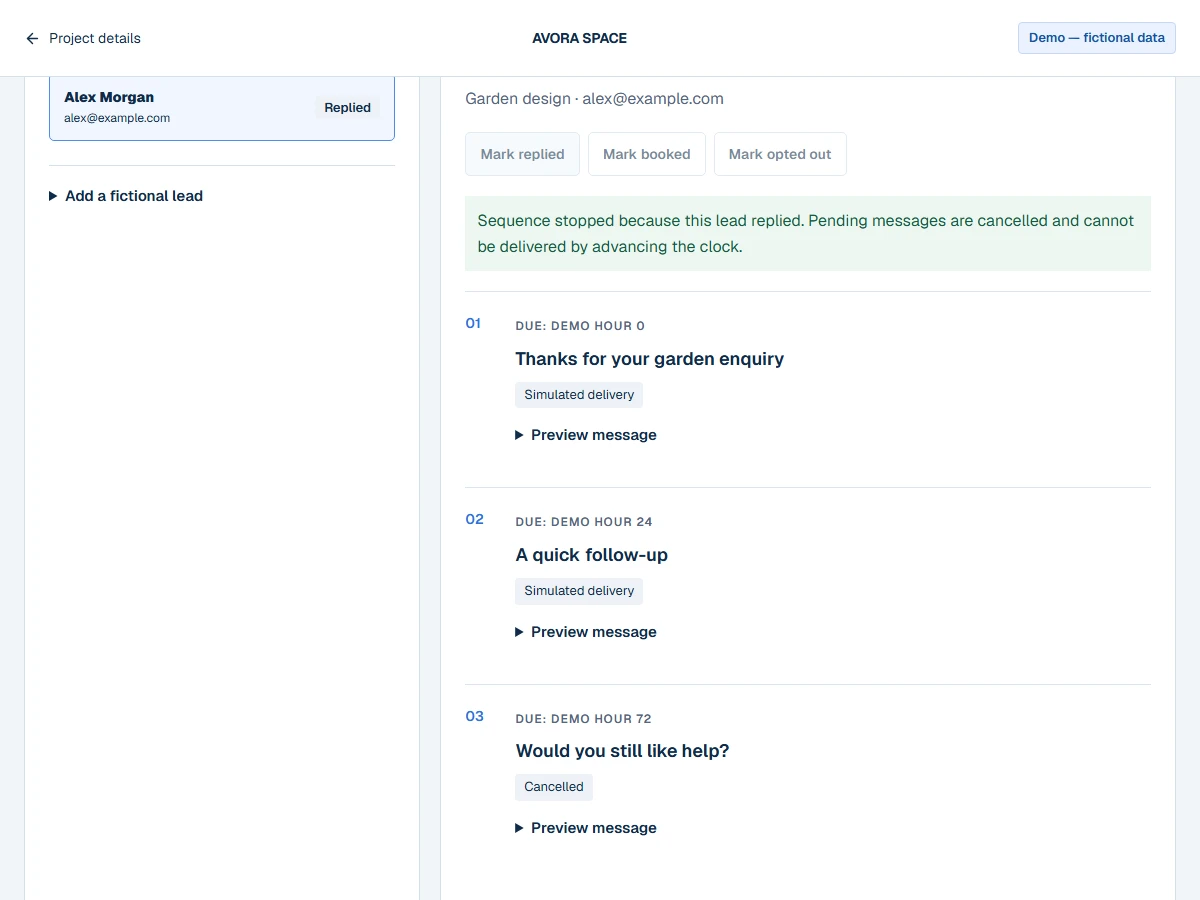
A tab-local lead workspace, sequence engine, message previews, isolated outbox and event timeline. Advancing the clock processes due pending actions. Reply, booking and opt-out events cancel pending messages and produce a visible stopping reason.
A SHORT WALKTHROUGH
Try it for yourself.
- 01
Select the sample lead and open each message preview. The acknowledgement is already in the simulated outbox.
- 02
Advance the clock by 24 hours to process the first reminder. Then mark the lead as replied, booked or opted out.
- 03
Advance time again. Cancelled actions remain cancelled, while other active leads continue their own sequences. Reset whenever you want to start over.
What you can test
- Advance 24 hours: one pending reminder becomes a simulated delivery.
- Mark replied, then advance 72 hours: the delivery count does not increase for that lead.
- Add a second fictional lead and try the booked or opted-out stopping condition.
Integration status
- Clock, outbox and sequence engine
- SANDBOX
- Email/SMS delivery and team notification
- SIMULATED
- Real email and SMS providers
- NOT CONFIGURED
SANDBOX means isolated browser functionality. SIMULATED means no external service action takes place. Nothing here is labelled LIVE VERIFIED.
Known limitations
- Simulated delivery means a local outbox state, not a delivered email or text.
- No real time scheduling; the clock advances only through visitor actions.
- 20 fictional leads, three actions per lead, up to one simulated year.
- Stopped sequences cannot be reactivated; reset the demo to explore again.