
AvoraSpace demonstration project
Customer Enquiry Desk
Website conversations and telephone enquiries lose context when they land in separate places.
WORKING DEMO · fictional data · not a client deployment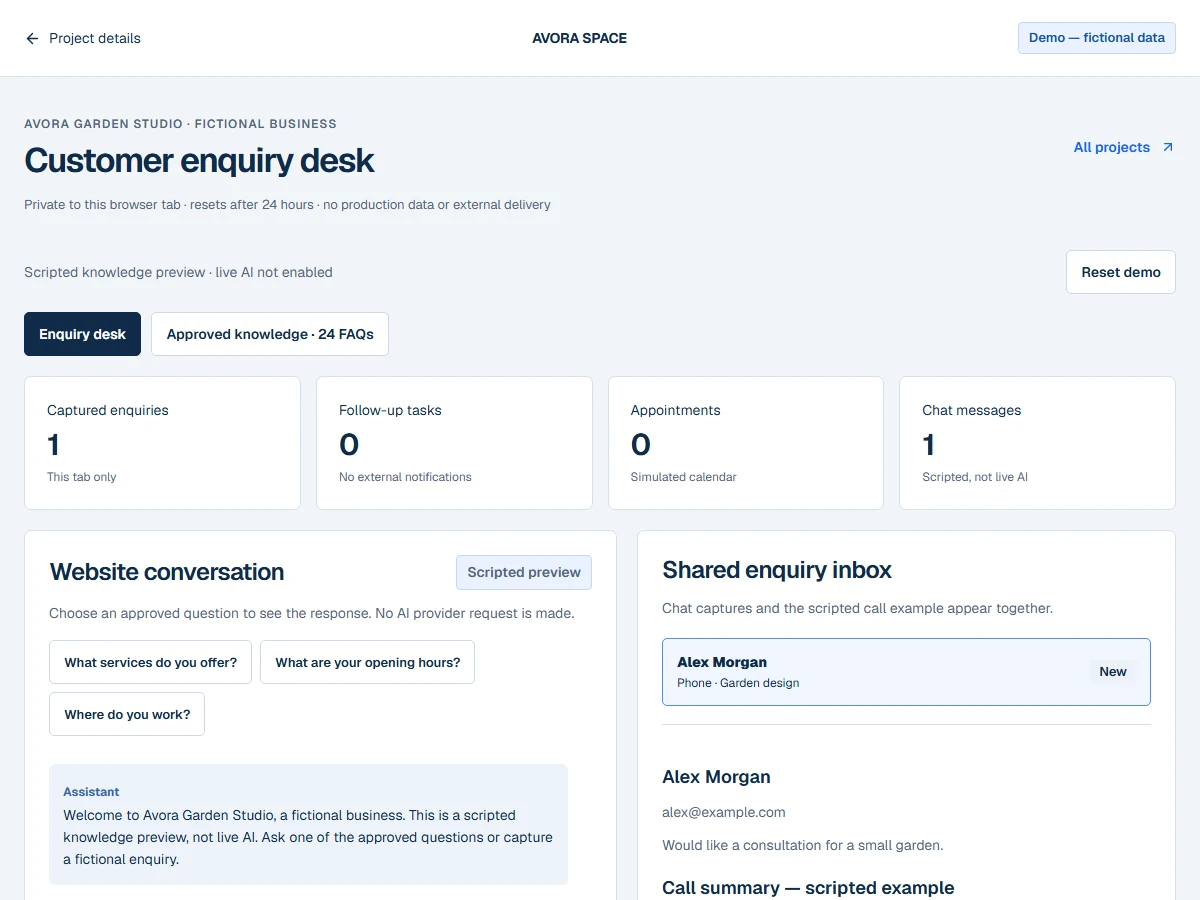
WHO IT IS FOR
Every enquiry, in context.
Service teams that need an organised hand-off from a customer enquiry to a person, task or appointment.
What was actually implemented
A scripted knowledge preview reusing AvoraSpace’s existing approved fictional chatbot content, a shared enquiry inbox, captured conversation history, a scripted call summary, local follow-up tasks and an isolated demonstration calendar.
A SHORT WALKTHROUGH
Try it for yourself.
- 01
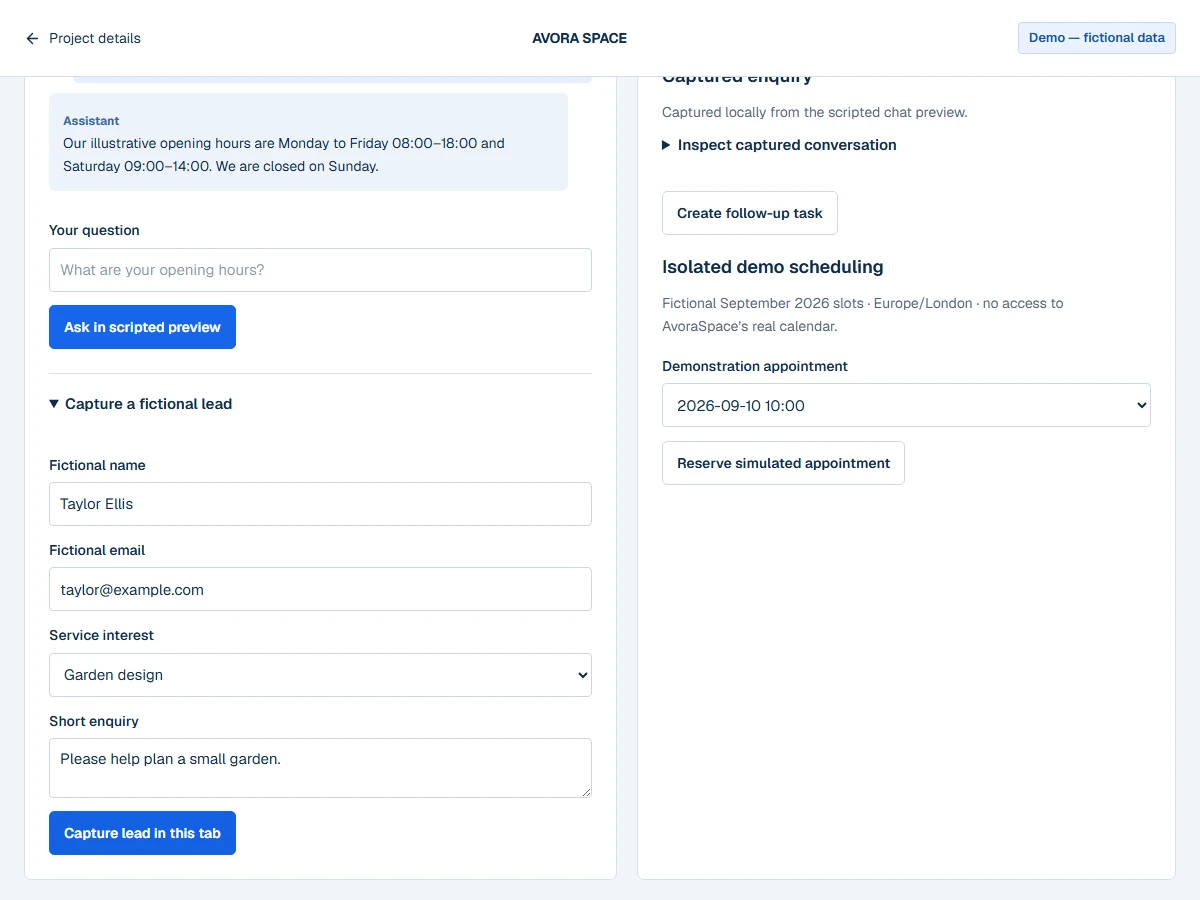
Open the approved knowledge section or ask one of the suggested questions. An unknown question gets an uncertainty response.
- 02
Capture a fictional lead with an @example.com address. Select it in the inbox and inspect the saved conversation.
- 03
Create a follow-up task or reserve a fictional appointment. Inspect the separate phone example to see a call summary.
What you can test
- Ask “What are your opening hours?” and inspect the approved response.
- Ask an unapproved question and see the fallback—no invented answer.
- Capture a lead, create a local follow-up task and reserve a simulated appointment.
Integration status
- Knowledge answers and example call
- SIMULATED
- Appointment calendar and tasks
- SIMULATED
- Budget-limited live AI sandbox
- NOT CONFIGURED
- Recorded calls / public telephone line
- NOT CONFIGURED
SANDBOX means isolated browser functionality. SIMULATED means no external service action takes place. Nothing here is labelled LIVE VERIFIED.
Known limitations
- This public application does not call a live AI provider. Its exact approved-question responses are explicitly scripted.
- The existing client chatbot integration is separate; it is not exposed here without a verified isolated budget-limited sandbox.
- No real call audio, real appointments, emails or phone calls.
- Up to 20 fictional enquiries and 40 conversation messages per tab.